The “Lazy” Person’s Guide to Net Worth Tracking: Quicken Simplifi 2026
If you are still manually entering transactions into a spreadsheet in 2026, you are not budgeting — you are doing unpaid data entry for a boss who does not exist.
Educational Disclaimer: This article is for educational purposes only and not financial advice.
Affiliate Disclosure: Some links may earn Beelinger a commission at no extra cost to you.
TL;DR
- Quicken Simplifi is built for low-friction budgeting: it focuses on “Available to Spend” instead of demanding full manual categorization.
- The Spending Plan is forward-looking: it tries to tell you what is left after bills and savings, instead of only showing what you already messed up.
- Watchlists are better than over-budgeting everything: you can track the spending categories that actually get you in trouble.
- The app’s best value is automation: recurring bill detection, refund tracking, rules, and net-worth syncing reduce manual work.
- For lazy users, clarity beats complexity: the real selling point is managing your money in a few minutes a week.
If you are still manually entering transactions into a spreadsheet in 2026, you are not budgeting — you are doing unpaid data entry for a boss who does not exist.
Most of us want the result of a budget — more money, less stress — without the work of a budget. We do not want to spend our Sunday mornings color-coding gas versus groceries or feeling guilty because we forgot to log a $4 coffee. We want an app that shadows our bank account and answers one simple question: How much can I actually spend today?
The personal finance app market is crowded. You have the cult-like intensity of YNAB, which demands that every dollar gets a job. You have the data-heavy appeal of Monarch Money, which looks great but costs more. And then you have spreadsheets — the endless broken formulas that make you hate opening your laptop.
After looking at the 2026 positioning for the major players, one app stands out for the set-it-and-forget-it crowd: Quicken Simplifi.
It is not the flashiest app on the market. It does not have a mascot. But it is one of the few tools aimed squarely at people who want financial clarity without turning money management into a second job.
The Philosophy: Why “Budgeting” Fails (And “Spending Plans” Work)
To understand why Simplifi works for so many people, you have to understand why traditional budgeting fails for them.
Traditional budgeting is backward-looking. You look at what you spent last month, feel bad about it, and promise to do better. It is an autopsy of your money.
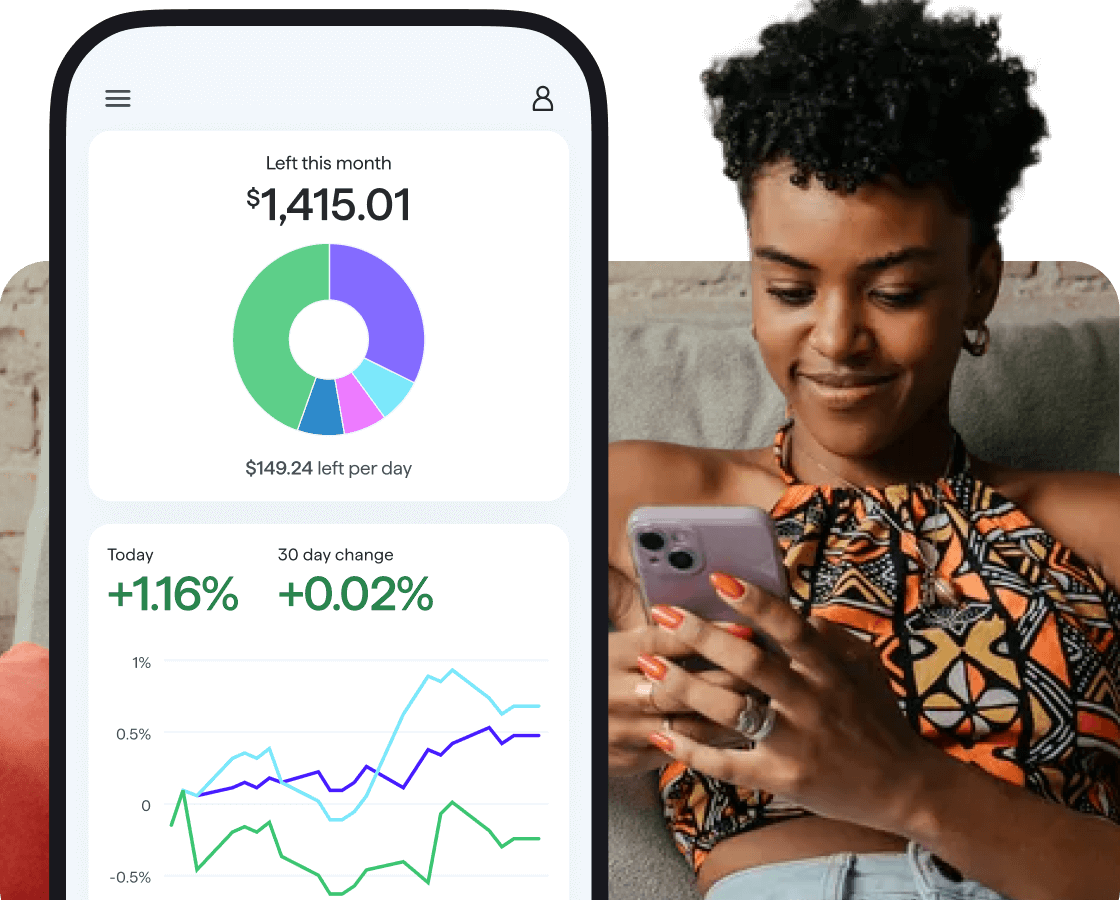
Simplifi leans into a “Spending Plan” model instead. That means it tries to show you what is left after expected income, bills, and savings are accounted for. It is designed to answer the question before you spend, not just shame you after the fact.
The “Available to Spend” Number
When you open the app, the core idea is simple: you see one big number — Available to Spend.
Here is the math it tries to run in the background:
- Income: it detects your direct deposits.
- Bills: it subtracts your rent, Netflix, insurance, and internet.
- Savings: it subtracts the money you planned to move toward goals.
- The Result: the amount left over.
Why this matters: it turns budgeting into a permission system instead of a punishment system. Instead of wondering whether you have enough in a perfectly named category, you are looking at what is actually left.
Feature Deep Dive: The 2026 “Lazy” Toolkit
Quicken Simplifi’s best pitch is automation. These are the features that matter most if you want to manage money in under five minutes a week.
1. The “Ghost Hunter” (Recurring Bill Protection)
In 2026, most people are leaking money through zombie subscriptions. Simplifi does more than just list those charges.
- The Price Hike Alert: if a recurring bill jumps, the app can flag it.
- The Unused Subscription Angle: recurring charges become easier to spot and question.
- The Refund Tracker: if you return something and the refund never lands, the app can help you notice it instead of forgetting it.
2. Watchlists: The “Anti-Category” Method
If you hate categorizing everything, Watchlists are one of the most useful parts of Simplifi.
Instead of obsessing over every transaction, you can focus only on the spending that gets you in trouble.
- Too much Uber Eats? Track delivery apps.
- Target problem? Track Target.
- Coffee creep? Track coffee shops.
You ignore 90% of the spending and watch the 10% that actually changes your month.
3. Advanced Automation Rules
The more rules you teach the app, the less work you do later.
- Old way: a coffee at a gas station gets miscategorized and you fix it forever.
- Better way: create a rule so small Shell purchases go to coffee, not gas.
That is the kind of automation that makes the app feel self-driving instead of needy.
The “Net Worth” Dashboard: Gamifying Your Wealth
Most people use one tool for budgeting and another for investing. Simplifi tries to combine both, which matters because seeing your net worth move can make you more likely to stick with your plan.
1. The Investment “Shadow”
Simplifi can connect to a very large number of institutions and bring your accounts into one dashboard.
The benefit is not just convenience. It is psychological. When you see your savings and investments in one place, budgeting stops feeling like deprivation and starts looking like progress.
2. Real Estate & Vehicle Tracking
Your net worth is not just cash. It is also what you own.
- Home value tracking: linked property estimates can help reflect your housing value.
- Vehicle value tracking: integrations can help show realistic depreciation.
That matters because many people underestimate or overestimate their net worth simply because they only look at checking and credit cards.
Comparison: Simplifi vs. the Titans
Simplifi vs. YNAB
The vibe: YNAB is a strict personal trainer. Simplifi is a supportive friend.
The difference: YNAB uses zero-based budgeting, which means you actively assign every dollar. Simplifi is more hands-off and decision-oriented.
The verdict: choose YNAB if you need structure and accountability at a near-daily level. Choose Simplifi if your income is relatively steady and you want low-maintenance clarity.
Simplifi vs. Monarch Money
The vibe: Monarch feels premium. Simplifi feels practical.
The cost: Monarch usually sits much higher. Simplifi tends to land in a much easier price range.
The verdict: Monarch may win for charts and polish, but Simplifi often wins for day-to-day usability and value.
Bottom line: if you want to feel in control without becoming your own bookkeeper, Simplifi hits a better balance than most apps in its category.
The Security Check: Is It Safe?
This is the first real question new users ask: can the app steal my money?
The short answer is no — not in the way people usually fear. Simplifi uses read-only access when you connect your accounts.
- It cannot move money.
- It cannot change passwords.
- It uses bank-grade encryption standards.
If someone accessed your account, the bigger risk is privacy, not direct theft. They could see your spending patterns, not drain your checking account.
The 20-Minute Setup Guide (From Zero to Automated)
Ready to try it? Do not overbuild. Follow the lazy roadmap.
Step 1: The Big Three Connection (5 Minutes)
Do not connect every account you have ever opened. Start with:
- daily checking
- primary credit card
- main savings
Pro tip: if one bank fails to connect, skip it for now. Momentum matters more than perfection.
Step 2: The Recurring Bill Sweep (5 Minutes)
Go to Bills & Payments. Confirm what Simplifi identified correctly, and add what it missed. This matters because those bills shape your Available to Spend number.
Step 3: The “Ignore” Rules (5 Minutes)
This is the secret sauce.
- Mark credit card payments as transfers so they are not counted twice.
- Mark automatic savings moves as transfers, not expenses.
Step 4: Set One Watchlist (2 Minutes)
Pick your poison. Amazon. Dining out. Hobbies. Do not start by budgeting groceries and utilities to death. Start with the one category that actually ruins your month.
Step 5: Clean Up the Home Screen (3 Minutes)
Pin Spending Plan and Net Worth to the top. Hide anything that confuses or distracts you. Your dashboard should answer your real questions fast.
FAQ: The “Lazy” User’s Questions
Does it handle cash?
Yes, but cash usually requires manual entry. The lazy version of the solution is to reduce cash use and keep most spending digital so the tracking stays automatic.
Can I share this with my partner?
Yes. Simplifi supports account sharing, which can make it easier for couples to manage one financial picture without sharing one password.
What happens if I overspend the “Available” number?
You get a visual signal that you are pushing past the safe zone. It is not a punishment system. It is a clarity system.
The Final Verdict: Is It Worth the $5.99?
Quicken Simplifi costs about the price of a fancy coffee once a month.
- YNAB: more structure, more work
- Monarch: more premium, more expensive
- Simplifi: the Goldilocks option for people who want a clear system without a second job
If the app saves you from one forgotten subscription, catches one missed refund, or stops you from buying one unnecessary thing because you saw the number clearly, it can pay for itself quickly.
We live in an era of information overload. You do not need more data about your money. You need more clarity. Quicken Simplifi’s real strength is not that it tells you everything. It is that it tries to tell you the right thing at the right moment.
Are you ready to stop being a data-entry clerk for your own money? Try the trial, connect the important accounts first, and see whether the “Available to Spend” number changes how you feel about your Friday nights.
Want a simpler way to manage your money?
Start with a budgeting app that reduces friction, tracks your net worth, and keeps your decisions clear instead of complicated.
Sources
More from Beelinger
-
budgeting 5 Ways to Make It Without a Steady Paycheck
5 Ways to Make an Irregular Income Feel More Predictable Variable income does not have to mean a…
-
budgeting 5 Ways to Strengthen Your Financial Foundation
5 Ways to Strengthen Your Financial Foundation—and Put Better Money Habits on Autopilot Build a stronger emergency fund,…
-
budgeting Why do most people fail at budgeting
Why Most Budgets Fail and How Modern Technology Fixes Them Build a budget you can actually sustain by…
-
budgeting Rocket Money vs. Beelinger Budget: Which Money App Fits You Better?
Rocket Money vs. Beelinger Budget: Which Money App Fits You Better? Compare Rocket Money’s automated financial dashboard with…