10 Best Cash Back Apps to Save Money Now
Maximize your savings on groceries and online shopping with our curated list of the best cash back apps to help you earn passive income on everyday purchases.
Educational Disclaimer: This article is for educational purposes and not financial advice.
Affiliate Disclosure: Some links may earn Beelinger a commission at no extra cost to you.
Important Notice: This article discusses money-saving tools and financial products. Review app terms, payout rules, and privacy settings before signing up.
TL;DR
- Cash back apps work best when they match your spending habits: online shopping, groceries, gas, or travel.
- Rakuten is one of the strongest general online shopping options: it says it works with 3,500+ stores.
- Ibotta is strong for groceries: it says savers earn $261 per year on average.
- The real win comes from stacking: combine store deals, credit card rewards, and cash back apps where possible.
- Do not spread yourself too thin: two to four apps you actually use will usually beat ten you forget about.
Quick Comparison: Best Cash Back Apps at a Glance
| App | Best For | Main Strength |
|---|---|---|
| Rakuten | Online shopping | Wide store coverage |
| Ibotta | Groceries | Strong rebate offers |
| Fetch Rewards | Receipt scanning | Very easy to use |
| Checkout 51 | Groceries and gas | Offer-based savings |
| Honey | Coupons | Automatic code testing |
| Capital One Shopping | Price tracking | Strong comparison tools |
| Upside | Gas | Good for drivers |
| GasBuddy | Fuel savings | Gas price discovery |
| Dosh | Passive rewards | Card-linked automation |
| TopCashback | Online deals | Often high cash back rates |
Table of Contents (click for details)
- Maximizing Your Savings with Modern Cash Back Tools
- Top-Rated Browser Extensions for Price Tracking and Deals
- Highest-Paying Grocery Rebate Platforms
- Automatic Rewards Programs for Online Shopping
- Specialized Apps for Gas and Travel Savings
- Strategies to Stack Rewards and Maximize Payouts
- Building Your Cash Back System
- FAQ
- Sources
Every dollar you spend online or at the grocery store is a chance to earn money back, and millions of people are leaving real savings on the table by not using the right tools. The cash back and rewards app market is growing, and for good reason: these apps can turn everyday purchases into low-effort savings when you use them consistently.
U.S. retail e-commerce sales reached $316.1 billion in the fourth quarter of 2025 on an adjusted basis, which helps explain why online cash back tools keep gaining traction. The bigger online your spending gets, the more useful it becomes to route purchases through the right apps and extensions.
Finding the best cash back apps for your spending habits can mean the difference between saving pocket change and earning meaningful money back over a year. Whether you are buying groceries, filling up your tank, or shopping online, there is likely a tool designed to reward you for purchases you were already planning to make.
Maximizing Your Savings with Modern Cash Back Tools
How Cash Back Apps Work
The concept is simple: retailers or brands pay these apps for customer acquisition or promotion, and the apps share part of that revenue with you. In online shopping portals, that usually looks like a percentage of your purchase coming back as cash back. In receipt-scanning apps, it often shows up as rebates on specific products.
Some apps require you to activate offers before you shop, while others work quietly in the background. Receipt-scanning apps like Ibotta work differently: brands pay to promote products, and you earn rebates by proving you purchased them.
Which Cash Back App Is the Best Overall?
Rakuten is one of the strongest all-around options for online shopping. It says it offers cash back at over 3,500 stores, which gives it unusually broad coverage for general retail spending.
For groceries, Ibotta is one of the most useful mainstream rebate platforms. Ibotta says savers earn $261 each year on average, which makes it a stronger fit for people who shop regularly and do not mind scanning receipts or activating offers.
The best app depends on where your money actually goes. If most of your spending is online, a browser extension like Rakuten or Capital One Shopping makes sense. If groceries dominate your budget, Ibotta or Fetch-style apps usually fit better. People building their first budgets often find that using two or three apps strategically works better than trying to install everything.
Top-Rated Browser Extensions for Price Tracking and Deals
Automated Coupon Applying at Checkout
Browser extensions can remove most of the friction from online savings. Honey, Capital One Shopping, and Rakuten’s extension can surface available coupons or remind you to activate cash back while you shop. That means less time hunting for promo codes and a better chance of capturing discounts you would otherwise miss.
The most important thing here is not perfection. It is making savings automatic enough that you actually use the tool.
Historical Price Monitoring Features
Smart shoppers know that timing matters. Tools like CamelCamelCamel and Keepa can show historical price data for Amazon products, which helps you tell the difference between a real deal and a temporary marketing label.
This matters most on bigger purchases. Waiting for a real price drop on electronics, furniture, or gear can save much more than a one-time promo code.
Highest-Paying Grocery Rebate Platforms
Scanning Receipts for Instant Credit
Ibotta, Fetch Rewards, and Checkout 51 all work on a version of the same system: you shop, keep your receipt, and earn points or rebates on qualifying purchases. Ibotta tends to be stronger on offer-specific grocery rebates, while broader receipt apps may reward you for almost any receipt even if the payout per trip is smaller.
The habit itself is quick. Save the receipt, scan it when you get home, and let the balance build over time. Some people combine this with Beelinger’s budgeting strategies to track both spending and savings in one system.
Store-Specific Loyalty Program Integration
Do not overlook your grocery store’s own app. Programs like Target Circle, Kroger digital coupons, and similar store loyalty systems can often stack with third-party rewards. Load the store offer first, shop normally, then scan your receipt into the rebate app if the offer allows it.
This is where the best savings usually happen: stacking store promos, card rewards, and app rebates together without making the process too complicated.
Automatic Rewards Programs for Online Shopping
Card-Linked Offers for Passive Savings
Card-linked apps like Dosh-style programs connect directly to your credit or debit card. Once linked, you earn rewards automatically at participating merchants without activating anything each time.
This is especially useful for busy people who know they will not remember to click through a portal before every purchase. The trade-off is that passive card-linked rewards are often lower than the best portal rates, but the convenience can more than make up for that in real life.
One-Click Activation for Major Retailers
Some apps sit in the middle between fully passive and fully manual. Rakuten’s extension, for example, can prompt you when you visit a partner store so you can activate cash back with one click. That simple reminder is often enough to save money you would have missed.
Specialized Apps for Gas and Travel Savings
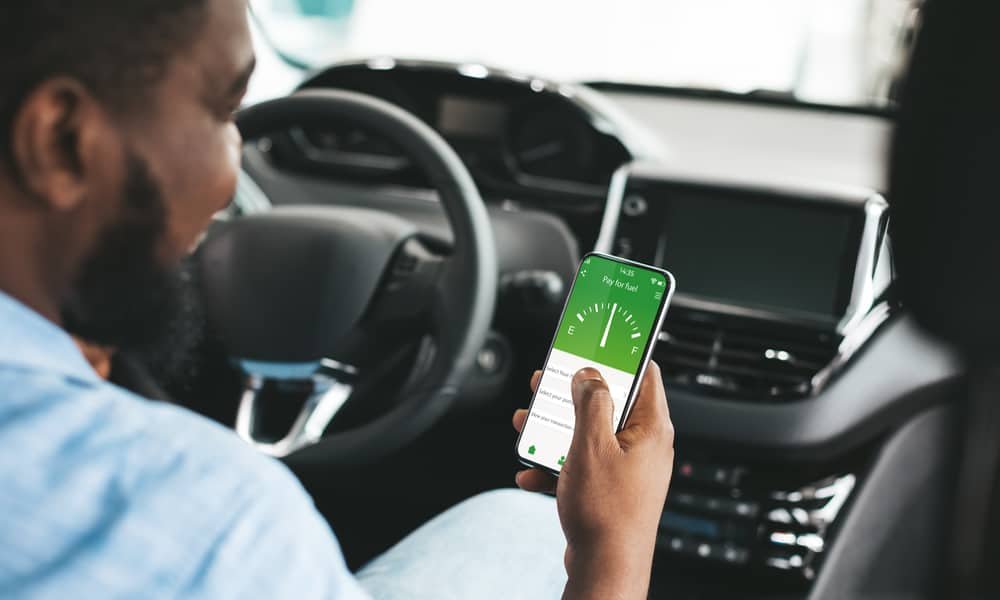
GasBuddy and Upside focus on fuel savings, and some also include restaurant or grocery rewards depending on location. For people who drive often, these can quietly add up over a year.
Travel rewards can be more complex, but shopping through portals or booking with price-tracking tools can still help reduce flight and hotel costs. The same rule applies here: use the tool that matches what you already spend money on.
Strategies to Stack Rewards and Maximize Payouts
Combining Apps with Credit Card Points
The real leverage comes from stacking. Use a cash back credit card, route the purchase through a shopping portal when possible, and scan or claim a rebate if the purchase qualifies. One purchase can sometimes generate multiple layers of rewards.
That does not mean every purchase needs a full optimization workflow. The point is to recognize when stacking is easy and worth doing.
Understanding Minimum Payout Thresholds
Every app has rules. Some pay quarterly, some require a minimum balance before you can cash out, and some only pay in gift cards at certain levels. These details matter more than most people think.
There is no point spreading your activity across too many apps if you never reach the payout threshold on any of them. Focus on the ones you will realistically use enough to cash out.
Building Your Cash Back System
The best system usually combines three or four tools that match your real life: one browser extension for online shopping, one grocery rebate app, one passive card-linked option, and maybe one specialized app for gas or travel if those categories matter to you.
Start small. Install one or two apps this week and use them consistently for a month. Then expand only if the habit sticks. A simple system you actually use will usually outperform a perfect system you forget about.
The money is there for the taking. Every purchase you make without capturing available rewards is money you chose not to keep. Pick your tools, build the habit, and let your existing spending work a little harder for you.
This article was created with AI assistance, reviewed by our editorial team, and fact-checked for accuracy.
Want to make money online?
Visit our tools section for more apps and money-saving resources.
FAQ
What is the best cash back app overall?
For broad online shopping, Rakuten is one of the strongest overall options because it covers a very large number of stores. For groceries, Ibotta is often the better fit because it focuses on product-level rebates.
Do cash back apps actually pay real money?
Yes, established cash back apps generally do pay real rewards, but payout timing, minimum withdrawal thresholds, and payment methods vary by platform.
Can I use more than one cash back app at the same time?
Sometimes. You can often stack store loyalty deals, card rewards, and a receipt rebate app. But not every portal or offer will stack with another, so check each app’s terms.
Are receipt-scanning apps worth it?
They can be worth it if you shop regularly and remember to scan receipts. The effort is low, but the value depends on how closely your purchases match active offers.
How many cash back apps should I use?
Usually two to four is enough. Too many apps can create friction and make it harder to reach payout thresholds consistently.
Sources
- U.S. Census Bureau — Quarterly Retail E-Commerce Sales
- Rakuten — Welcome / Overview
- Rakuten — All Stores
- Ibotta — Home
- Research and Markets — Cash Back and Rewards App Market Report 2025
- Global Growth Insights — Cash Back and Rewards App Market Size Forecast to 2035
- Beelinger — Best Saving Apps
- Beelinger — Free Budgeting Apps
- Beelinger — Smart Budgeting Hub
- Beelinger — Track Expenses
More from Beelinger
-
Banking How to snag bank account bonuses this holiday season: 2026 offers
The Best Bank Account Bonuses to Grab in Q4: Extra Cash for Holiday Bills Compare current BMO, Chase,…
-
money-brief Open Enrollment: Why Choosing an HSA Could Save You Hundreds in 2027
Open Enrollment: Why Choosing an HSA Could Save You Hundreds in 2027 Compare premiums, deductibles, employer contributions, and…
-
money-brief 7 Car Buying Mistakes That Could Cost You
7 Car Buying Mistakes That Could Cost You Thousands Avoid dealer financing traps, expensive loan stretching, negative equity,…
-
money-brief Gas Is Back Over $4: 3 Cash-Back Moves Before Your Next Fill-Up
Gas Is Back Over $4: 3 Cash-Back Moves Before Your Next Fill-Up Gas prices are back above $4…